
Solving the Notion Premature Notification Dilemma

One of the many benefits of Notion is the ability to customize users notifications. That is, you can decide who gets to see what.
That's not to say that Notion alerts are perfect, though. As I wrote a few months back, nothing could be further from the truth. One of the feature's core current limitations is timing.
The Problem
Say that you use a Notion database to track new media inquiries for your book, product, or startup. That template includes a straightforward automation that alerts users of a new pitch. Here's a screenshot:
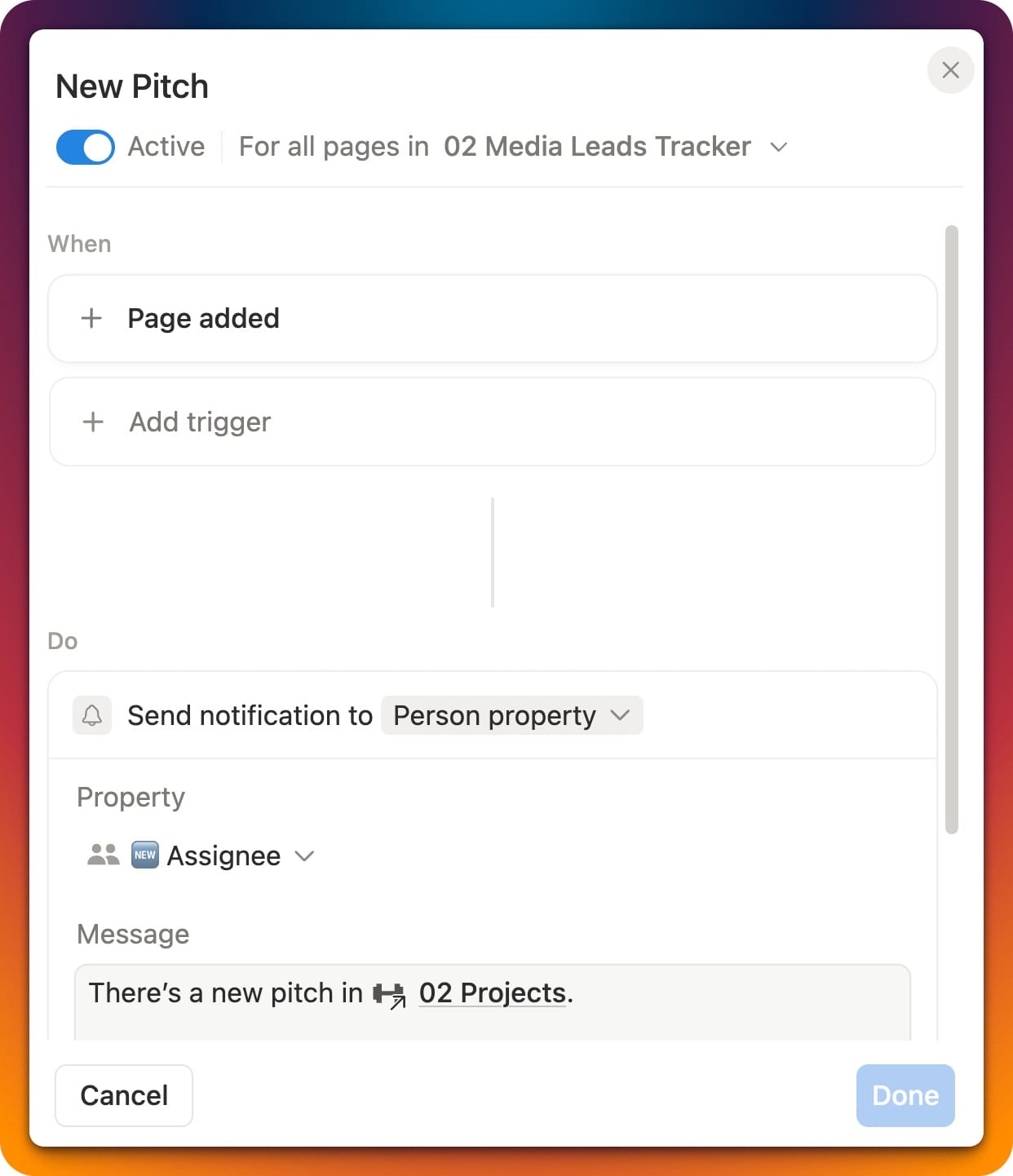
That's great, but workspace members may see a partial database record depending on the following variables:
- The number of fields—or properties, in Notionspeak—in the database. (To state the obvious, it takes much more time to enter 20 pieces of information than two.)
- The user's natural typing speed.
- The state of Notion's internal plumbing. Expect five to ten seconds to pass before user notifications typically arrive.
- If they are especially diligent about checking workspace notifications.
Put differently, Notion can alert users of a new database record before it is ready for viewing. Certain information isn't available yet. (Yeah, it's a minor problem, but it's still a problem.)
The Solution
My latest Notion template solves this issue with what I think is a neat trick that I've used for myself and a few clients. What's more, you can replicate it in any new or existing Notion database in your workspace.
Check it out in the Notion Marketplace. The cost is $4.95 USD.
Here's the explainer video:





Member discussion