
Tech Tips and Other Musings #3

Fixing the Steps-Taken Command
I wrote a few weeks ago how iOS27 has been a disappointment. Yeah, Apple's recent cyclical fixed some bugs, but real problems remain. Here's one particularly annoying limitation: the ostensibly smarter Siri AI cannot reliably tell you how many steps you've taken during the day. Sometimes asking it works, but most of the time it pauses before telling you why it can't. (When it works, it takes far longer than it did in iOS26.)
Here is a simple Apple Shortcut that circumvents that issue. Just say “Steps” and you're good to go. Tweak it however you like.
Insane Local File Conversion
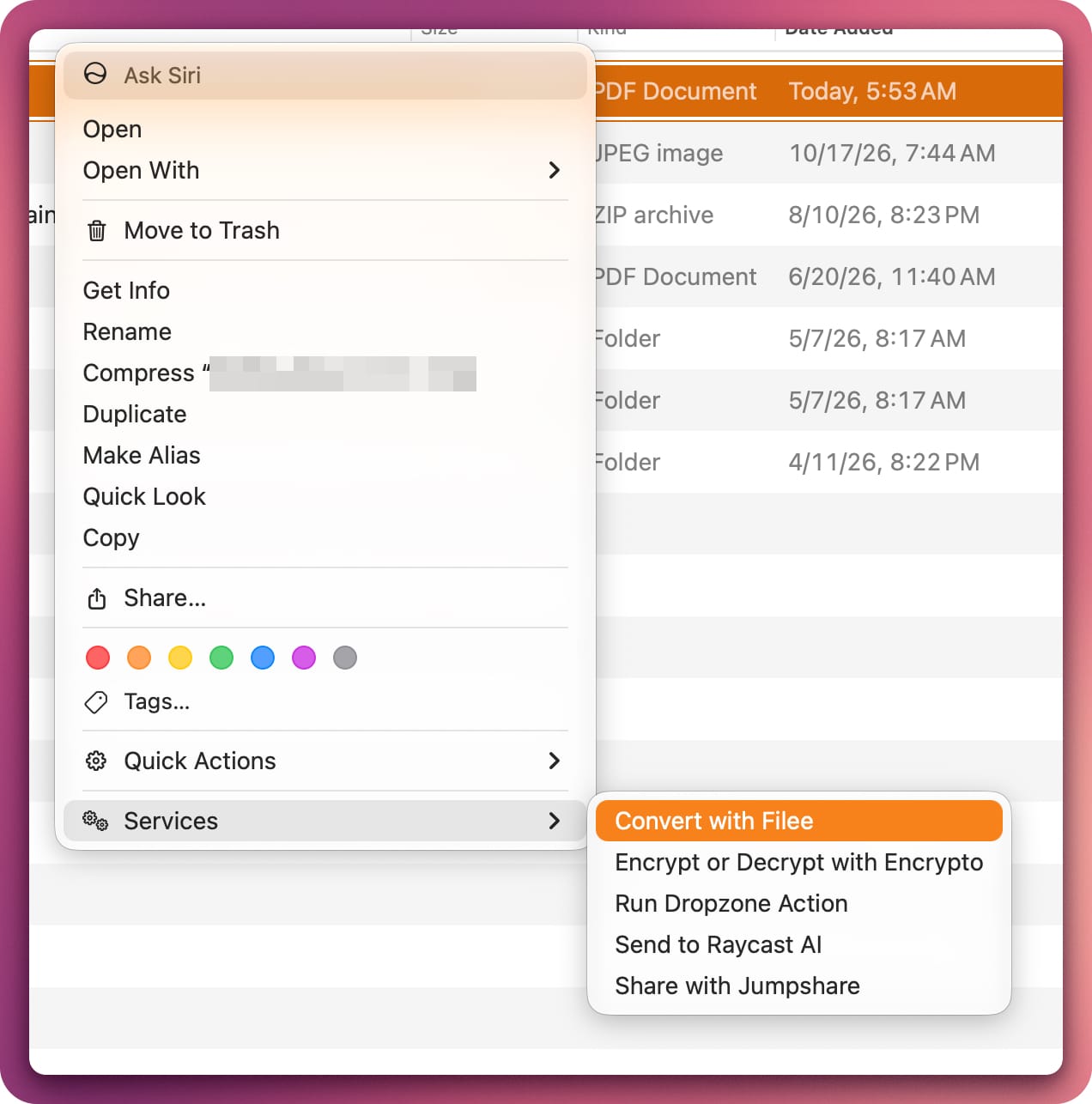
Say adios to sketchy sites whose operators do who knows what with your data. Filee offers a slew of conversion options. Even better, you can access it right from Finder or Windows Explorer. Cost: nothing.
Sizing Up Local AI Models
Sure, you can download a 30-gig model and then see if your computer can handle it. The better method: Evaluate your hardware first with llmfit.
Mac Power Hour
Sixty minutes with me will transform how you work and make you much more productive.
Quickly Viewing Notion Metadata
Want to easily find your workspace, page, and user ID? It's easy.
Open settings.
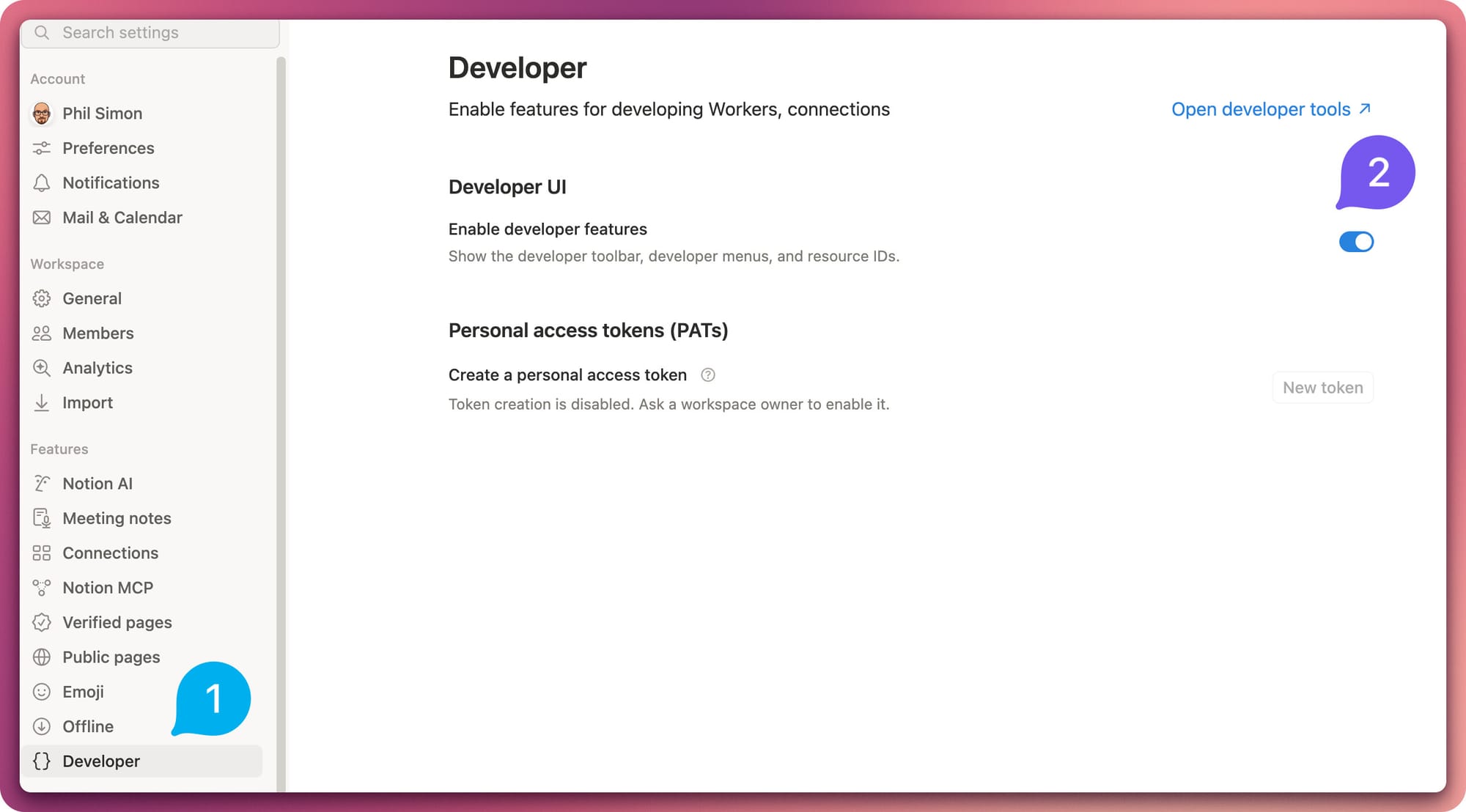
Click Developer and go to any page.

Voilà!
Bonus: An Open-Source CleanMyMacX Alternative
I had used the popular Mac maintenance tool for years. Ultimately, it caused a minor but irritating problem that took nearly a year for me to solve. (TL;DR: It broke my Mac's Continuity features.) Calm blue oceans . . .
I'm on Purge now. I couldn't be happier.
 Phil Simon

Feedback
Any tips for me?






Member discussion